Run a workflow on this conversation
Start a published workflow on this customer, see which flows are running, stop one, or answer a question a flow awaits.
Quick start
- Open Inbox and click a conversation. Owners, admins and agents can start a workflow.
- Open More actions in the header (in the app, the conversation menu) and choose Run a workflow….
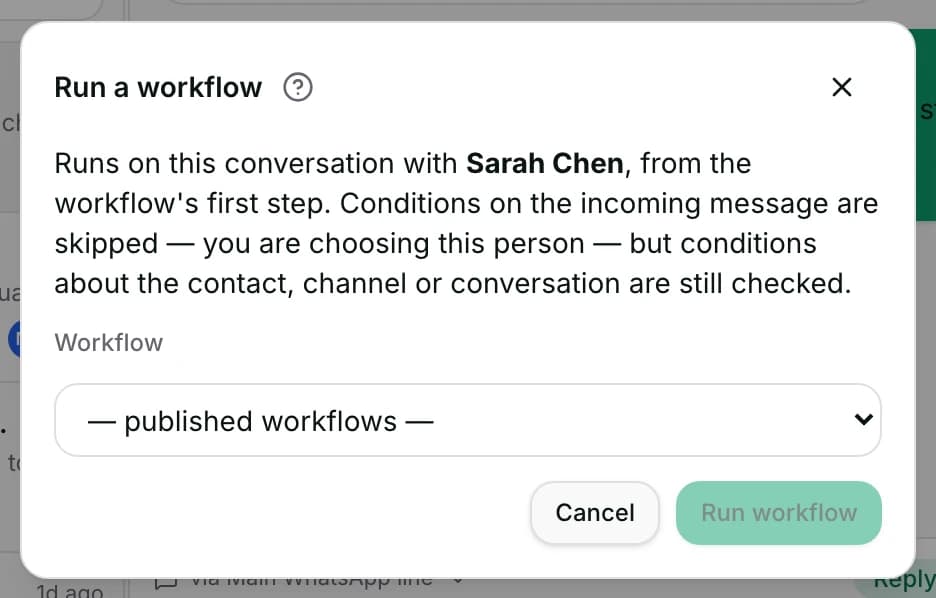
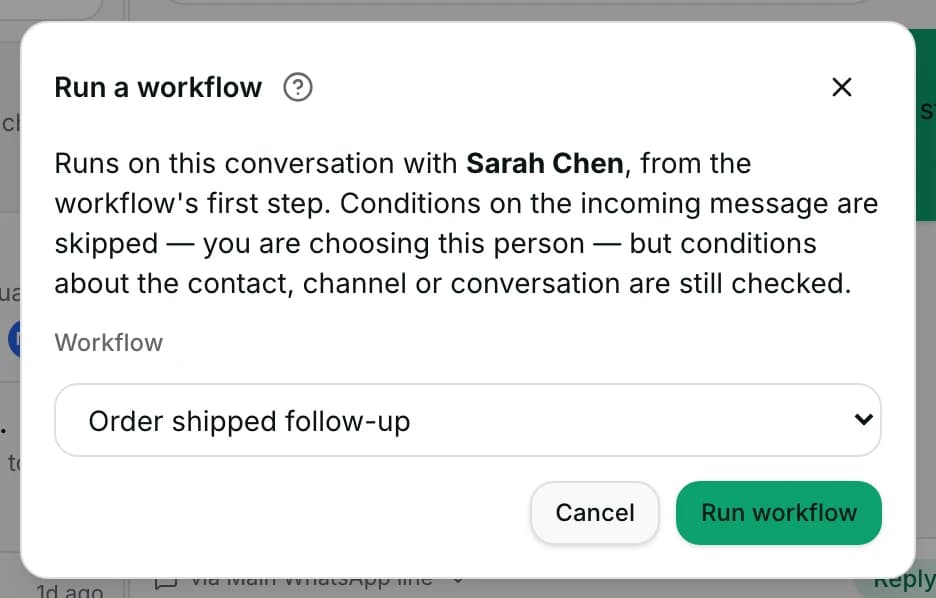
- Pick a workflow. Only published, switched-on ones with Show in Send a flow ticked are offered.
- Click Run workflow. Its steps may message this customer, so open it under Automate → Workflows first.
- Watch it under Active workflows in the contact panel on the right.
Watch out
- A flow's marketing templates check consent when they send, and skip a customer who has not agreed.
- Stopping a flow leaves any step already running to finish. It stops what has not happened yet.
Details
Getting here
Inbox → open a conversation → More actions → Run a workflow…. A list row's Conversation actions menu has Select shortcut for the shortcut flows. Running flows sit under Active workflows in the contact panel. In the app: + beside the reply bar has Send a flow, a long press on a list row has Select shortcut, and Show active workflows opens the panel.
Before you start
- An owner, admin or agent can start and stop a flow here. A viewer cannot.
- Workflows depend on your plan; see pricing.
- The workflow has to be published and switched on, with Show in Send a flow ticked in the workflow editor. No other workflow is offered.
- The conversation needs a contact. One with none cannot enrol anybody.
How it works
- The dialog says what it will do: it runs on this conversation, from the workflow's first step. Conditions about the incoming message are skipped, because you are choosing this person. Conditions about the contact, the channel or the conversation are still checked.
- When one of those still fails, the dialog says {name} does not match: and lists which. Enrol anyway runs it regardless.
- A flow either starts at once — {name} ran — or is queued: {name} queued, with It runs in the next minute or so.
- Select shortcut on a row lists only workflows whose trigger is a Shortcut, sorted by their label. Starting one says {name} started.
- A shortcut that asks for details shows its form first, on the web. On the phone the same row is marked Asks for a form — run it from the web.
- Active workflows lists what is running for this contact: waiting for the customer’s answer, next {at} for an armed timer, or queued, not started.
- Why did no workflow start? under the same panel explains what each published workflow decided about this conversation's recent events, newest first.
- Those explanations name the real reason. Conditions that did not match, a run inside the cool-down, once-per-contact already used, or a channel the trigger does not include. Also: a teammate holding the conversation, the AI paused, a blocked contact, or a plan without workflows.
- Stop then Confirm stop takes this contact out of one workflow: {name} stopped for this contact. Anything already running will finish its step.
- When a flow is parked on a question, Continue offers two ways on. Answer for the customer carries the flow on exactly as if the customer had chosen it; No answer — move on takes the flow's timeout path.
- A question with no options says so: This question has no options, and the line adds that it asks the customer to type an answer.
- After continuing, the panel says Answered for the customer: {label}. The flow has moved on. or Question skipped. The flow has moved on.
- Starting a flow from here does not ask about marketing consent. Its marketing templates still check it when they send, on WhatsApp: one is skipped for a contact who has not agreed, or who opted out. A utility or authentication template is not held back for consent; only a blocked contact stops one.
When it fails
- Publish the workflow before running it. — the workflow is a draft or stopped.
- That workflow no longer exists. — it was deleted while the dialog was open.
- This conversation has no contact to run a workflow for. — there is nobody to enrol.
- This contact does not match one or more of the workflow's own conditions — use Enrol anyway if you mean it.
- This workflow already ran on this conversation less than a minute ago — a guard against a double press. Wait a moment before sending it again.
- The workflow did not run asks you to check two things: that it is still switched on, and whether Trigger once per contact has already run it for this contact.
- This contact is blocked, so the workflow cannot message them.
- A connected app is handling this conversation, so the workflow cannot run here.
- When an earlier run's message may already have reached the customer, a repeat is held: check the conversation before running it again, and the message says when you may.
- Could not queue that flow. and Could not run the workflow. Please try again. — nothing started.
- Could not stop that workflow. — the flow is still running.
- {name}: nothing left to stop — it had already moved on. — there was nothing to stop.
- Could not continue this questionnaire. — the parked question is unchanged.
- The flow moved on, but its next message did not reach the customer — follow up by hand.
- Could not load the workflow decisions. — the explanations did not load; the flows are unaffected.
Limits
- This starts a workflow; it does not edit one. Building and changing workflows is the workflow builder, which is on the web only.
- Stopping a flow stops it for this contact only. The workflow stays published and keeps running for everybody else.
- A step already running finishes. Stopping takes away what has not happened yet — the queued enrolment, the armed timers and the parked question.
- Starting a flow here skips the trigger's own conditions about the incoming message. It does not skip conditions about the contact, the channel or the conversation.
- Enrol anyway overrides a mismatch you were shown. It does not make the workflow's own steps behave differently.
- The list shows only published, switched-on workflows with Show in Send a flow ticked. A workflow you are still building never appears.
- The phone cannot fill in a shortcut's form. The row there says to run that one from the web.
- Why did no workflow start? looks back 30 days. Older decisions are not kept for this panel.
Best practices
- Read Why did no workflow start? before rebuilding a workflow. Most "it did not run" reports are one of the reasons listed there.
- Use Select shortcut for the flows agents start by hand, and keep the shortcut labels short — that is what the menu shows.
- Prefer Answer for the customer over No answer — move on when you know the answer. Whatever the question saves is still saved.
- Stop a flow before you take over a difficult conversation, so an automatic message does not arrive in the middle of your reply.
- When the dialog says the contact does not match, read the list before pressing Enrol anyway — it usually names a real reason.
Use cases
- Sarah Chen asks for the booking steps: run the booking flow instead of typing the questions.
- A customer is stuck on a question they never answered: Continue → Answer for the customer with what they told you by phone.
- A chase flow is about to message somebody who has already paid: open Active workflows and stop it.
- An agent says the welcome flow never runs for this person: open Why did no workflow start? and read the reason.
- Michael Torres qualifies for a promotion the flow's conditions do not cover: Enrol anyway, once.
FAQ and troubleshooting
- Why does the dialog say the contact does not match?
- The workflow's own conditions about the contact, the channel or the conversation were checked and one failed. The dialog lists which. Enrol anyway runs it in spite of that.
- Does stopping a workflow unpublish it?
- No. It takes this one contact out. The workflow stays published and keeps running for everybody else.
- A step is already sending. Does stopping catch it?
- No. Anything already running finishes its step. Stopping removes what has not happened yet.
- My workflow is not in the list.
- Only published, switched-on workflows with Show in Send a flow ticked appear. Publish it, switch it on and tick that setting in the workflow editor, then open the dialog again.
- What does "waiting for the customer's answer" mean?
- The flow asked a question and is waiting. Continue lets you answer for them, or move the flow on to its timeout path.
- Can I start a shortcut with a form from my phone?
- No. A shortcut that asks for details has to be started on the web, where the form is shown.
- Does running a workflow here check marketing consent?
- Starting it does not. A marketing template step checks at the moment it sends, on WhatsApp: it is skipped for a contact who has not agreed or who opted out, and the step records why. Utility and authentication templates are not held back for consent; only a blocked contact stops them.
Reading this with an AI assistant? Plain Markdown version.