Build your own inbox view
Save a set of filters as a named view, so the list you work from every morning is one click away for the whole team.
Quick start
- Open Inbox and find Custom in the views rail on the left.
- Click + beside Custom (New custom view). Any member may create one.
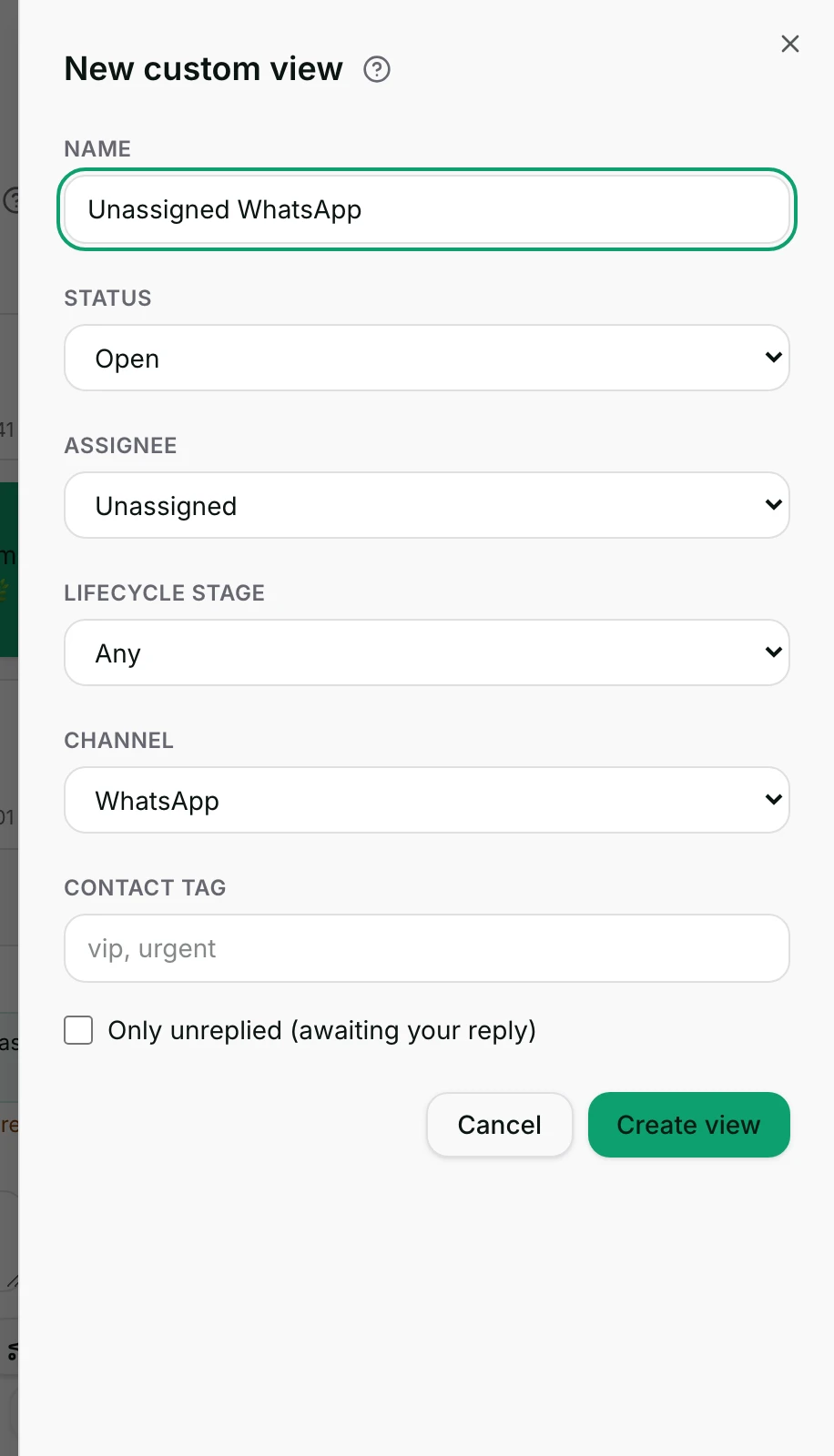
- Type a Name, for example
Unassigned WhatsApp. - Pick your Status, Assignee, Lifecycle stage, Channel and Contact Tag.
- Click Create view. It appears under Custom, for everyone in the workspace.
Watch out
- A saved view is shared: everyone in the workspace sees it, and there is no private one.
- The default Status reads Active (open + pending + snoozed) but leaves snoozed chats out. Only Status: Snoozed shows them.
Details
Getting here
Inbox → the views rail → the Custom group → + (New custom view). In the app the same saved views appear under Custom in the inbox drawer; they can be opened there, but not created or changed.
Before you start
- Any member of the workspace can create a view. Only the person who created it, or an owner or admin, can edit or delete it.
- Everyone in the workspace sees every saved view. A custom view is shared, not private.
- Lifecycle stages and contact tags only appear as choices once the workspace has them.
Set up
- Open Inbox, find Custom in the views rail, and click + beside it.
- Give the view a Name — up to 60 characters, and it cannot be empty.
- Set the filters you want. Every one you set has to match for a conversation to appear.
- Click Create view. To change it later, hover the view in the rail and click the pencil, then Save.
Fields
- Name
- What the view is called in the rail.
- Limits: Up to 60 characters, and it cannot be empty.
- Status
- Which conversation state to include: Open, Pending, Snoozed or Closed.
- Default: Active (open + pending + snoozed)
- Limits: Left as it is, the view shows open and pending chats and leaves closed ones out. It leaves snoozed chats out too, although the wording says otherwise — only Status: Snoozed shows them.
- Assignee
- Anyone, Me, Unassigned, or one named teammate. Me is read against whoever is looking.
- Default: Anyone
- Lifecycle stage
- Any, No stage, or one stage.
- Default: Any
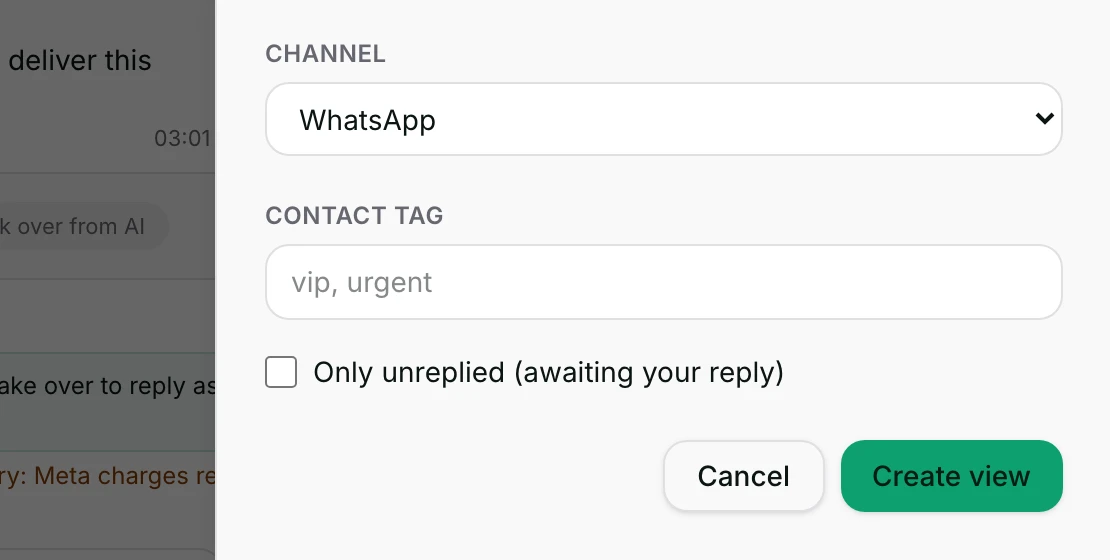
- Channel
- One channel type, or any.
- Default: any
- Contact Tag
- One or more tags, comma separated. A conversation matches when any one of them is on the contact or on the conversation.
- Limits: The suggestions offer only tags that already exist; text you type is saved as it is.
- Only unreplied (awaiting your reply)
- Keep only chats where the customer wrote last.
- Default: off
How it works
- The view stores the filters you picked. It does not store a list of conversations, so it re-reads the inbox every time you open it.
- All the filters apply together: a conversation has to match every one of them to appear. Within Contact Tag, any one of the tags is enough.
- Leaving Status as it is includes open and pending conversations and leaves closed ones out. Snoozed chats are left out too, although the wording on that choice says otherwise — only Status: Snoozed shows them.
- Assignee: Me is read against whoever is looking, so one saved view gives each teammate their own list.
- A blocked contact's conversations never appear in a custom view, exactly as in the built-in views.
- The view is saved for the workspace and appears in everybody's rail, in the order the views were created.
- The pencil beside a view (Edit {name}), shown on hover to its creator, an owner or an admin, reopens the same form with the saved filters in it. Save replaces them.
- Deleting asks first — Delete the "{name}" view? — and removes the view for everyone.
When it fails
- A view whose stored filters can no longer be read shows a warning sign (Invalid filter — edit to fix) and a greyed name in the rail. The list then shows This saved view is invalid — edit it to fix its filters. It is never treated as "match everything".
- Saving with an empty name is refused: Name can’t be empty.
- A name longer than 60 characters is refused: Name is too long.
- Editing or deleting a view somebody else created, when you are not an owner or admin, is refused: Only the view’s creator or an admin can change it.
- A delete that does not go through says Could not delete "{name}".
- A new view that fails to save says Could not create this view. Please try again.; an edit that fails says Could not save this view. Please try again.
Limits
- A custom view filters. It does not assign, close, tag or change anything on the conversations it shows.
- It is not a team inbox. Routing a conversation to a team is a separate action in the conversation header.
- It cannot be made private. Every member of the workspace sees every saved view.
- It holds one value per field, except Contact Tag. To follow two channels separately, save two views.
- There is no way to build or edit a view on the phone. The app shows the saved views under Custom and nothing more.
- A view is subject to the same list limits as any other: it reads the loaded inbox and renders only the first few hundred rows.
Best practices
- Name a view after the job, not the filter:
Unassigned WhatsAppbeatsWhatsApp + unassigned. - Build one Assignee: Me view for the team instead of one per person. It shows each teammate their own work.
- Keep the number of saved views small. A rail of twenty views is slower to read than the search box.
- Before saving, set the same filters on the built-in views and check the list looks right.
- Agree who owns the shared views. Anybody can create one, and only an owner, an admin or the creator can clean it up.
Use cases
Unassigned WhatsApp— everything on WhatsApp that nobody has taken.VIP waiting— contact tagvip, with Only unreplied switched on.New leads— lifecycle stage "New lead", assignee Anyone.My open chats— assignee Me, status left as it is.Closed this week for review— status Closed, one channel, for a quality check.
FAQ and troubleshooting
- Do my teammates see the view I saved?
- Yes. Saved views belong to the workspace, and everybody's rail shows them. Only the creator, an owner or an admin can change or delete one.
- Can I make a view only I can see?
- Not today. If the point is to see your own work, save one view with Assignee: Me — it shows each person their own conversations.
- My view is empty and it was not yesterday.
- Check whether the rail marks it Invalid filter — edit to fix. If it does not, the filters are simply matching nothing right now — try widening Status or clearing the tag.
- Does a view freeze the conversations that were in it?
- No. It stores the filters and reads the inbox afresh every time. A conversation leaves the view as soon as it stops matching.
- Can I edit a view on my phone?
- No. The app lists the saved views under Custom so you can work from them, but the form for building one is on the web only.
- Why does the closed conversation I expected not show?
- The default Status leaves closed conversations out. Set Status to Closed to build a review list.
Reading this with an AI assistant? Plain Markdown version.