WhatsApp calls
Take the call where you already take the chat
A WhatsApp call rings in the same inbox as the conversation it belongs to. Your team answers from the web or from the phone app, transfers it when somebody else should take it, and the recording and transcript stay on the contact — so the call is part of the customer's history instead of a memory somebody has.
- Per-number rules for who may answer and who may dial
- Answer and transfer from the web inbox and from the iOS and Android app
- Recording and transcription toggles, with the transcript kept on the contact
- A call report: six totals, calls per day, by teammate, and the full call log
What you get
The call arrives with its conversation
An incoming call rings in the inbox next to the thread it belongs to, with the contact's history, tags and past orders on screen before anyone says hello.
Rules set per number
For each connected WhatsApp number you decide whether customers may ring it and whether your team may dial out from it. Two numbers can behave differently, because two teams usually do.
Transfer without losing the customer
Hand a live call to the teammate who can actually answer the question, from the web inbox or from the app.
Recording and transcripts, only if you want them
Recording is off, manual or automatic — your choice, per workspace. Transcription is its own switch, and the transcript is filed on the contact with the call.
A report you can read in ten seconds
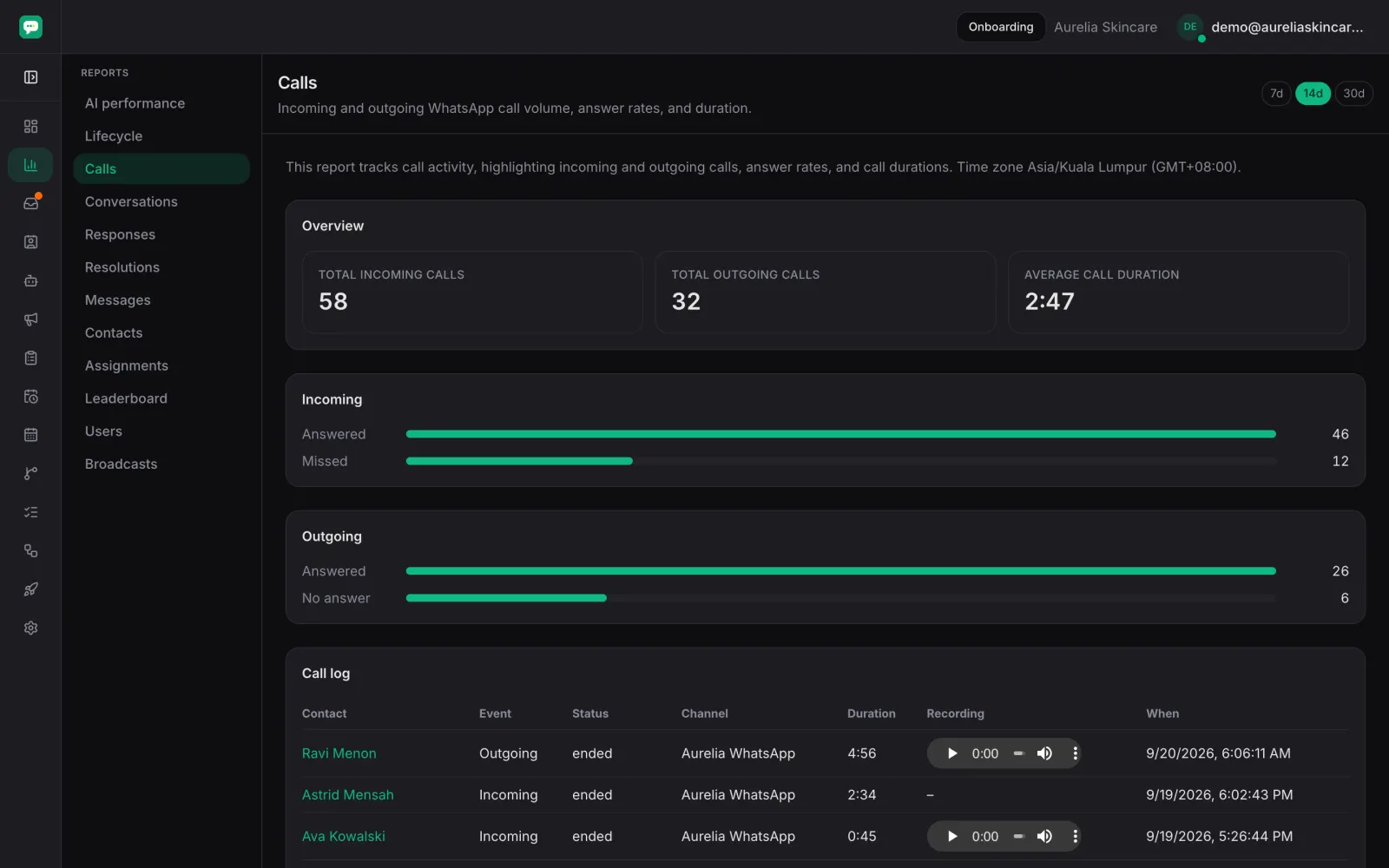
Six totals with their change against the period before — incoming, outgoing, answered, missed, average duration and total talk time — plus calls per day, which hours ring most, answered calls by teammate, and the full log with each call's contact, direction, status, duration and recording.
How it runs
Turn calling on for a number
In Settings, pick the WhatsApp number and decide whether it accepts incoming calls and whether your team can call out on it.
Choose what gets recorded
Off, manual or automatic recording, with transcription as a separate switch.
Your team answers from wherever they are
The web inbox and the phone app both ring, and either one can transfer the call onward.
The call files itself
Recording and transcript land on the contact, and the call report adds the totals up.
Frequently asked
- Can my team answer WhatsApp calls from a phone?
- Yes. The iOS and Android app rings, and so does the web inbox. A call can be transferred from either one.
- Are calls recorded automatically?
- Only if you choose that. Recording has three settings — off, manual and automatic — and transcription is a separate switch you control.
- Where does the transcript end up?
- On the contact, filed with the call it came from, so the next person to open that customer can read what was said.
- What does the call report show?
- Total incoming calls, total outgoing calls and average call duration, an answered-against-missed comparison, and the full call log underneath.
Put calls back in the customer's file
Turn calling on for one number and watch the call, its recording and its transcript land where the conversation already is.