Your team, anywhere
Reply from a phone, a laptop, or the desktop app
iOS and Android apps with push, and the web app installs to a desktop and pushes there too. Assignment goes round-robin or to whoever has the fewest open threads, inside the business hours you set.
- Push on iOS, Android and the installed web app
- Round-robin or least-busy assignment, with business hours
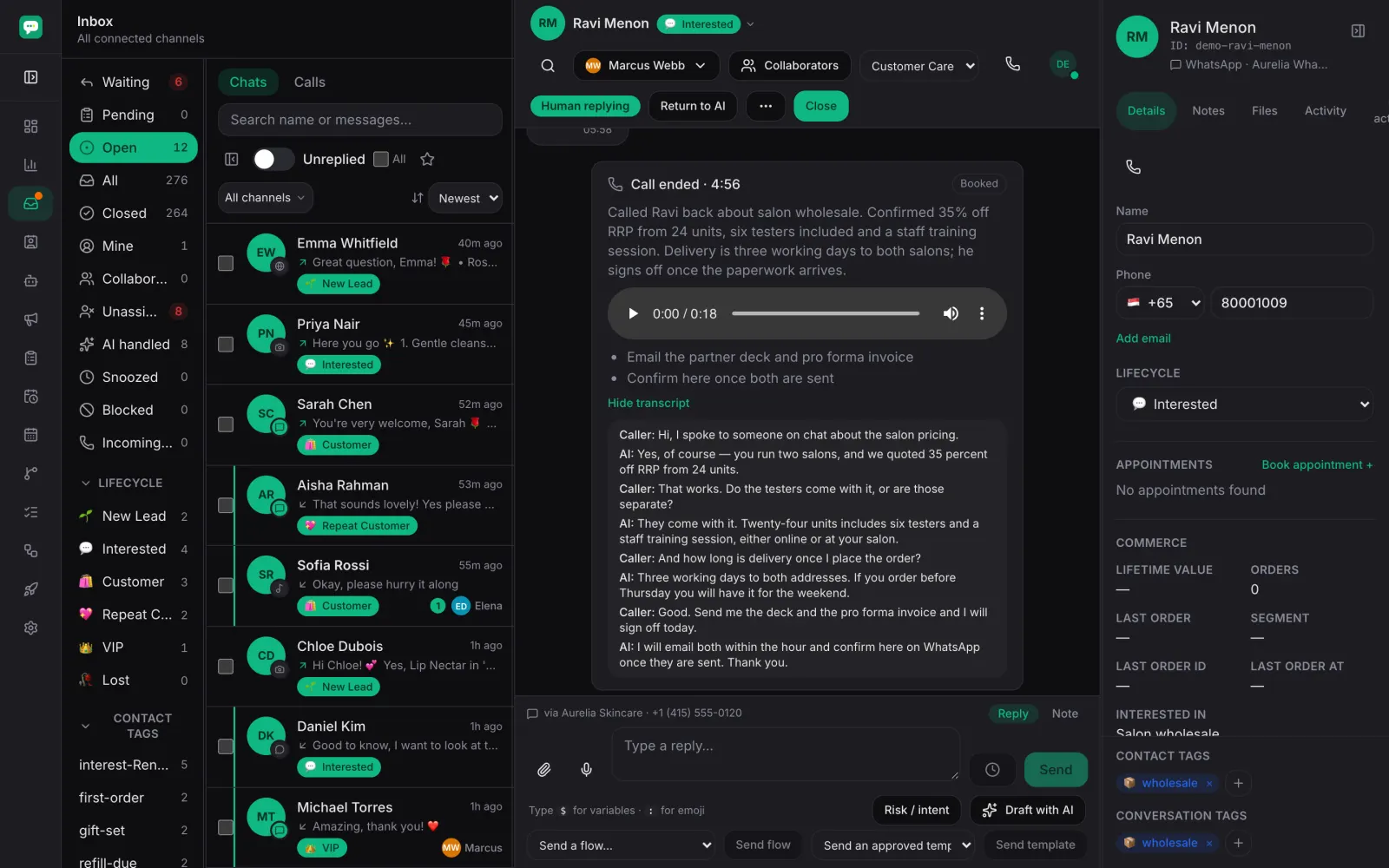
- Answer and transfer WhatsApp calls from the web inbox or the app
- Call recording and transcripts, kept on the contact
What you get
The same inbox in your pocket
iOS and Android apps carry the same threads, the same assignment rules and the same contact record as the web inbox — not a cut-down viewer.
Push where your team already looks
Notifications reach iOS, Android and the web app installed to a desktop, so a waiting customer is visible without anyone keeping a tab open.
Work shared out on purpose
Assignment goes round-robin or to whoever has the fewest open threads, inside the business hours you set. Internal comments and mentions pull the right teammate into a thread.
Calls in the same place as the chats
Answer and transfer WhatsApp calls from the web inbox or the phone app, with the customer's history on screen while you talk. Recordings and transcripts stay on the contact.
A view of the load, not just the queue
The dashboard shows who is waiting for a reply and what each teammate is carrying, so the next thread goes to the person who can actually take it.
How it runs
Invite your team
Each teammate gets their own sign-in. Owners and admins hold the workspace settings; everyone else works the inbox.
Set the rules once
Business hours, assignment style and who covers which channel. After that, threads route themselves.
Everyone installs what suits them
The phone app, the browser, or the web app installed to a desktop. All three push.
The dashboard keeps everyone honest
Open threads, waiting customers and team load in one place, each figure linked to the rows behind it.
Frequently asked
- Is the phone app the same product as the web inbox?
- Yes — the same threads, the same assignment rules, the same contact record. A reply sent from a phone is the same reply sent from a laptop.
- Do teammates get notified of a new message?
- Push notifications reach iOS, Android and the web app once it is installed to a desktop.
- Can my team answer WhatsApp calls?
- Yes. Calls ring in the inbox and in the app, and can be transferred between teammates. Whether a number accepts calls at all, and who may dial out on it, is set per number.
- Can I control who changes settings?
- Workspace settings belong to owners and admins. Everyone else has the inbox, the contacts and the work assigned to them.
Give your team the inbox on every screen
Invite them, set the assignment rules, and let the next customer reach whoever is actually free.