Untag Conversation
Remove one or more tags from this conversation — the other half of Tag Conversation, so a flow can clear a state it no longer applies.
Quick start
- Go to Automate → Workflows and open a workflow. Click + and pick Untag Conversation.
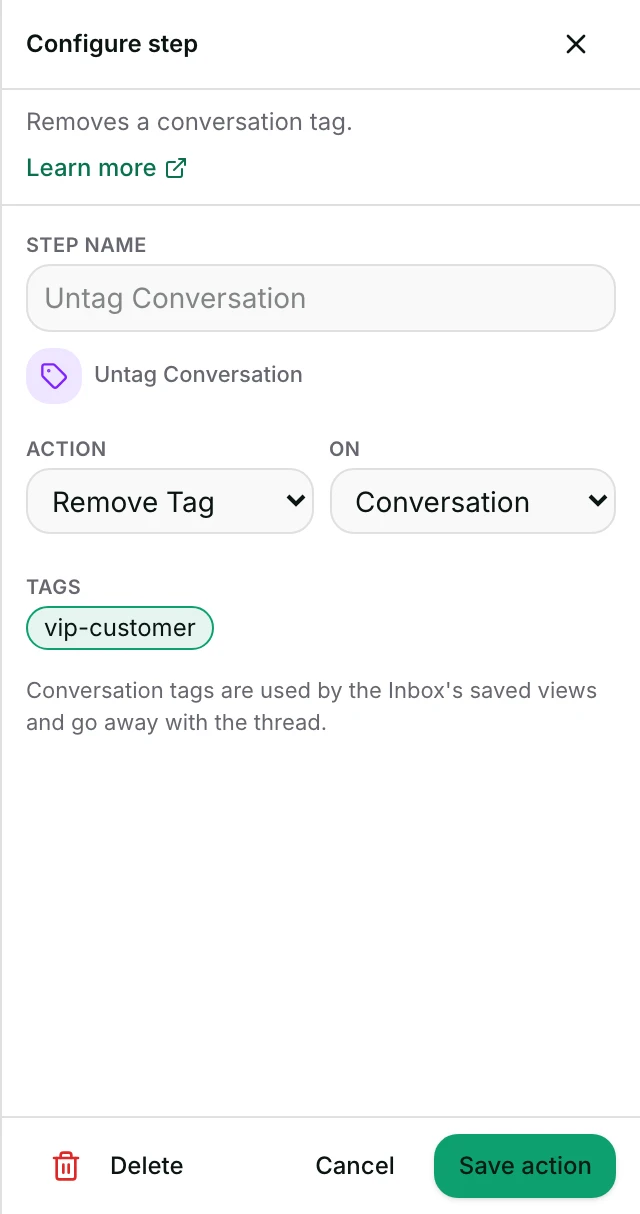
- Leave Action on Remove Tag and On on Conversation.
- Pick one or more tags from the tag buttons.
- Set Status to Published in the top toolbar, Save, confirm Publish. Agents: ask an owner or admin.
Watch out
- Removing a tag the conversation does not have — even one differing only in case — is a silent no-op: nothing is written.
Details
Getting here
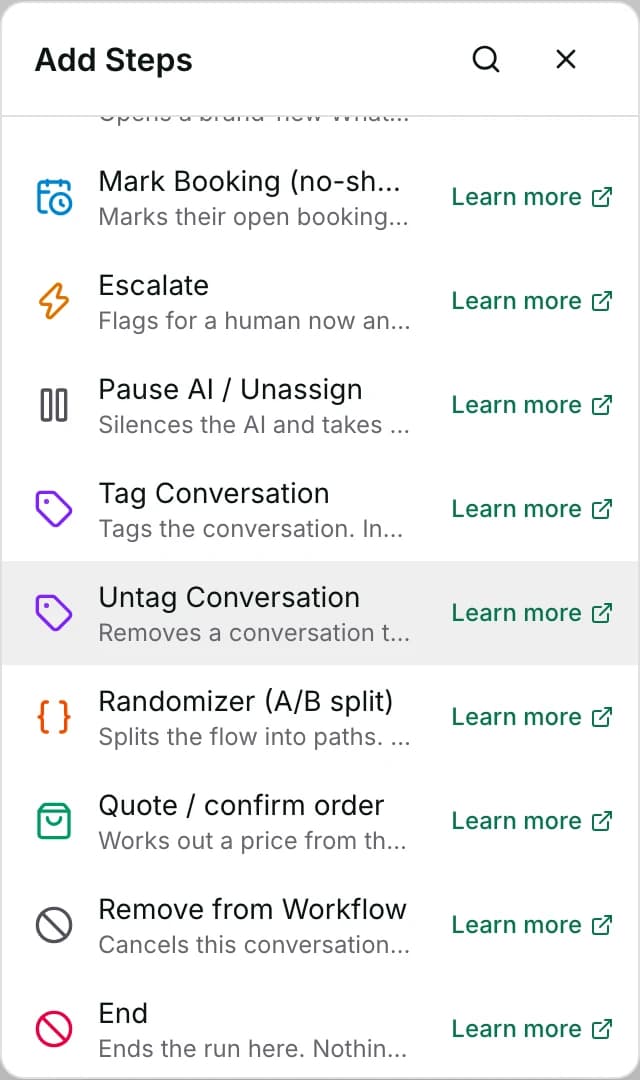
Automate → Workflows, open a workflow, click + on the canvas, then pick Untag Conversation under Add Steps.
Before you start
- An owner, admin or agent can add this step and save the workflow. Publishing that workflow — the thing that makes it run on live conversations — is an owner or admin action.
- Building and running workflows depends on your plan; see pricing.
- Nothing outside Inchat has to be connected. The step only writes to this conversation.
Set up
- Open the workflow and click + where the removal belongs.
- Pick Untag Conversation.
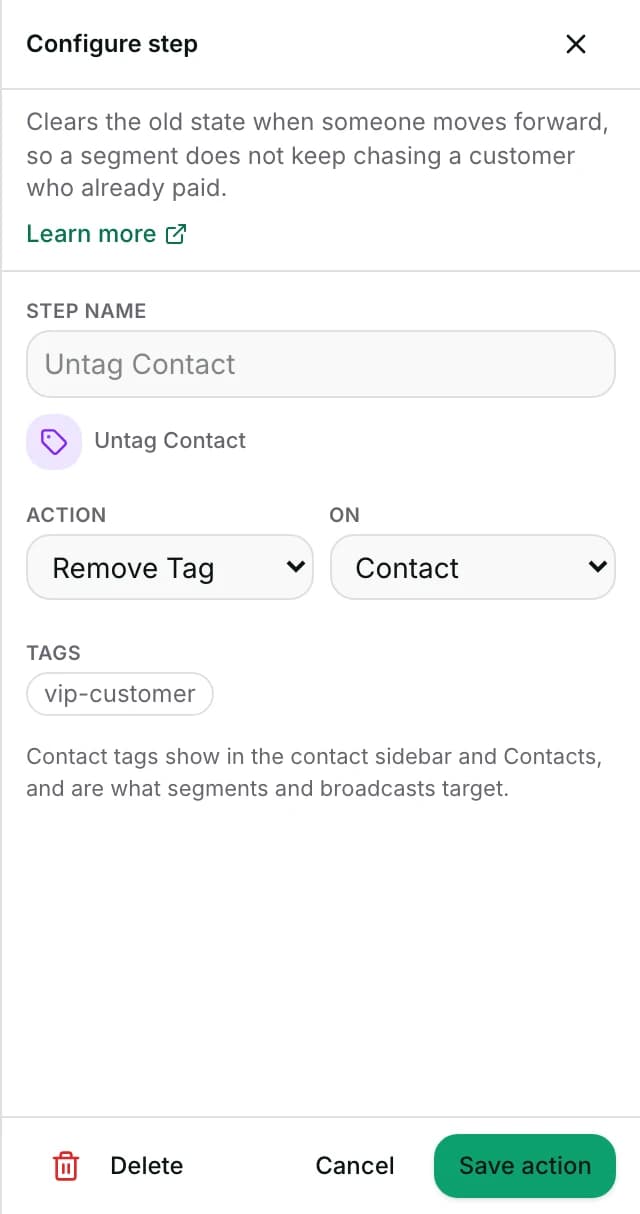
- Leave Action on Remove Tag and On on Conversation — switching either turns this into Tag Conversation, Tag Contact or Untag Contact instead, since all four share one editor.
- Pick one or more tags from the tag buttons.
- Save the step. To publish: set Status to Published in the toolbar at the top of the editor, click Save, then confirm with Publish. The dropdown on its own changes nothing until you save.
Fields
- Action
- Add Tag or Remove Tag.
- Default: Remove Tag
- Limits: Choosing Add Tag saves this as the Tag Conversation step instead.
- On
- Whether the tag comes off the conversation or off the contact behind it.
- Default: Conversation
- Limits: Choosing Contact saves this as the Untag Contact step instead.
- Tags
- A tag button for every tag already used somewhere in the workspace. Several may be picked on one step.
- Limits: A free-text box to type a name only appears when the workspace has no tags at all yet. With any tag already in the workspace, Remove offers tag buttons only, so you cannot type a name that is not on the list.
How it works
- The step removes the named tag from the conversation — the same tags Tag Conversation writes to.
- Removing a tag the conversation does not carry — including one that only differs in letter case from what it actually has — does nothing: no error is shown, and the step still counts as ok.
- That makes it safe for a branch to clear a whole set of mutually exclusive tags without first checking which one is set.
- Naming several tags on one step tries every one of them, even if an earlier one in the list failed to write.
- The step shows as failed in the run's Activity tab if any of them did.
- The tag name must match exactly, including capital and small letters, against whatever is currently stored.
- The workspace's tag list keeps one spelling per name, and every tag added is matched to it. Picking from the tag buttons always gets that exact spelling — typing a guess in a different case is the only way to miss it, and that is the no-op above.
- When the conversation has a linked contact, the removal is also logged to that contact's Activity tab — marked as removed by a workflow, or by the AI agent inside an AI turn.
When it fails
- The only realistic failure is a temporary Inchat problem reading or writing the conversation — not something you did; try again later. This action does not report a specific reason, so the run's Activity tab shows the fixed line failed without a reported reason rather than anything naming the tag.
- A failed removal does not stop the run. The step shows as failed in the run's Activity tab and the flow moves to the next one, so a message or close placed after it still happens with the tag still on the conversation.
Limits
- It never touches the contact's own tags — clearing a tag Tag Contact added needs Untag Contact instead.
- If the tag was not on the conversation, nothing happens, and the run log looks the same as when the tag really was removed.
- The removal only ever applies to this one conversation; it does not reach any other conversation the same contact has open or has had before.
Use cases
- Remove
needs-quoteonce Quote / confirm order has sent a price, so the saved view for open quote requests only shows the ones still waiting. - Clear
escalatedafter Assign To (human) hands the thread to a person, so the tag only ever marks the time it spent unassigned.
Reading this with an AI assistant? Plain Markdown version.